Everybody seems so happy about this, here on HN and on Twitter. But wouldn't this allow any law enforcement or bad actor to circumvent any device protections? Get the phone, do whatever you want with it without anything blocking you.
Am I missing something or are all these device secure enclaves and fingerprint protection or key protection now moot?
As far as I understand it, user data is still encrypted and the key is protected by the Secure Enclave, which is not affected.
This exploit allows flashing unsigned firmware, so by stealing the phone the attackers won’t be able to decrypt your data, but an evil maid attack is now (or will be) feasible.
Also, stolen iPhones are now more valuable, as you will be able to bypass iCloud Lock.
So if I understand, just losing your phone is safe, but if you find it again after losing it, you basically shouldn't keep using the phone before completely reflashing the device?
Well it won’t come back on in that case (the modified firmware will fail signature check.). But as you say you are still safe, just don’t unlock the device before reboot.
I think that depends on how it's set up, right? I rememember on my old iPod Touch with a tethered bootrom exploit, you could reboot without a computer but it would start up in non-Jailbreak mode. If you wanted to boot Jaillbroken, you had to find a computer. (This was the origin of the term "semi-tethered Jailbreak").
I don’t have deep knowledge of the security architecture here but, in general the key doesn’t need to be compromised to retrieve data in secure systems.
What prevents unauthorized firmware from requesting that the Secure Enclave decrypt all data? Similar to having control over an HSM - you can’t extract the key but you can perform cryptographic operations.
The SE will still require a password or other authentication data (e.g. iris/finger print, biometric measurements) until it will use its key to decrypt the data.
The only ways around this are:
* physical extraction of the embedded memory in the SE (I'm not sure if this is actually feasible, it's certainly a destructive attack)
* "updating" the SE firmware - this is what the FBI wanted Apple to do in that terrorism case, that Apple develop a SE firmware that leaks the secret key
* exploiting bugs in the SE firmware - this is what the FBI ended up doing by hiring either Cellebrite or some anonymous hackers (depending on which source one believes).
I see. Hence evil maid attack. If someone has temporary physical access they could install malware that captures data when the device is unlocked. Chargers as an attack vector seem more likely, if more mundane.
In the case of malicious chargers I believe Apple already authenticates peripherals to make data capture more difficult. If you’re unauthenticated then you will not be able to do much unless explicitly authorised.
Of course, none of that matters if you can reflash the device or exploit the boot ROM.
If Apple gave authorised owners a way to sign and boot their own code there wouldn't be as much of a necessity for people to go hunting for these exploits.
Change Apple to Google, then wait 10 years _after_ Google do it.
Android devices could allow you to do this out of the box if Google allowed you to upload your own keys and sign your own boot image by providing the tools to developers / power users. They haven't and they won't.
Sadly that means Apple is unlikely to do it either given how much more strict they are on these things.
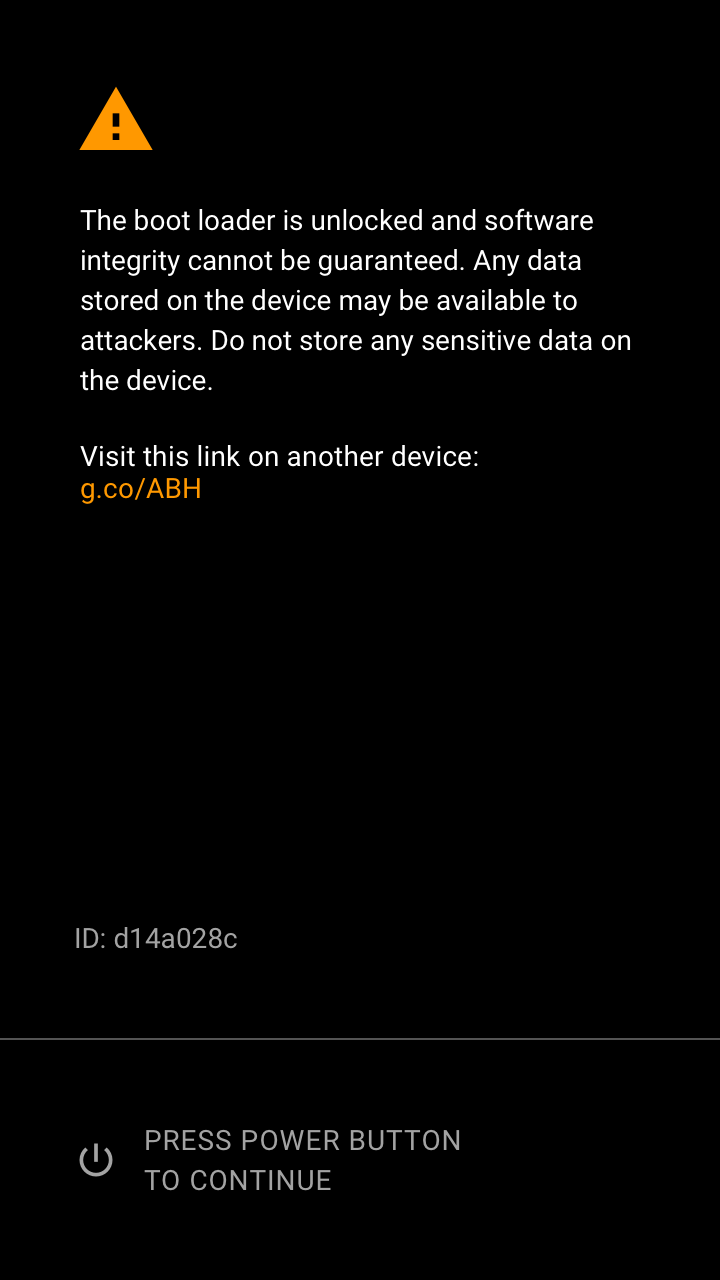
The way Google does it seems fine to me. You have to explicitly unlock the bootloader, which wipes all the data. As an extra, if you want to use the phone after wiping, you need to have the auth of the last user (to avoid reselling of stolen phones). Once you unlock the bootloader, you can do whatever, but the phone explicitly shows that it's unlocked on boot so you know that you know your bootloader is no longer safe.
And how many people would know what “an unlocked boot loader” meant if someone else unlocked it — like an over possessive spouse wanted to install malware or a government actor?
We have decades of research that people ignore warnings — see Vista UAC. People always click continue. There is so much scare ware out there people have become immune.
People became immune to UAC because they saw it everywhere, and were trained that it was safe to ignore. Users don't ignore novel warnings, at least not when they're sufficiently noticeable.
If you try to visit a site in Google Chrome that Google thinks is hosting malware, they pop up a huge red message saying the site will harm your computer. There is a continue link, but... well, I don't have access to any analytics on this, but I would guess not many people visit those sites.
Exactly, if a site that you know is perfectly safe showed that red warning, then you'd probably start ignoring it. UAC would pop up on almost anything you tried to run, making it worthless. The android bootscreen should almost never happen, unless you buy a second hand phone or someone actually hacks your device.
If I receive a warning, I need to find out what it means.
If my primary device is the one displaying the warning, the only way I can find out what it means is to dismiss the warning and then 1) google it or 2) ask someone.
1) doesn't tend to happen outside of the tech bubble. 2) happens way way later, if it happens at all, as the odds of someone you can ask being around when it happens is slim. And more importantly, you need to make a phone call / check your email / do something with social media which is more important than the warning, as the warning can be dismissed and life can go on.
Odds are you forget about it entirely, and remember weeks later to ask a friend about somethingsomething boot warning insecure and then hand over your phone to them to have a look, at which point your friend loses their mind over what's happened, while the phone owner remains unconvinced it's really an issue since everything is still working correctly, and refuses to let their friend rebuild their phone for them as it'll take too long.
Source: happened to my friend's android phone. they still wont let me fix it.
And if they do see the warning? Where will they go to get more information? Will they use their computer? It’s becoming more common for people’s only “computer” being their mobile phone. What do they do when they do get the warning? Do they go to their local non existence “Android store”? Do they ask the clueless CSR from their carrier? Or do they just keep clicking continue like most people do on their computer?
How many people in other context like cars ignore warning lights?
So it's literally an education problem? The same issue exists with authentication on the web, if it weren't for normies being unable to wrap their head around it, we could be signing into websites with public key crypto instead of faffing with passwords.
Must we continue to drag things out and design for the lowest common denominator?
It’s an “education problem” that has been going on at least since the dawn of the web where people had 10 toolbars installed on their browser and adware installed on their computer.
Any kind of code signing that forces the end user to trust a third party and restricts how a person may use their own property needs to go.
The security benefits are real, but the implementations are poor. On Android devices, a locked bootloader guarantees your device will be e-waste within 2 years.
Even then that's only for the boot chain after the application boot loader - you for example can't run custom UEFI apps in the Qualcomm eXtensible Boot Loader (let alone custom TrustZone applets or Hexagon DSP firmware) as those are still locked down to Google's RKH, and similarly Google also (unlike a number of Chinese vendors) does not offer their-signed firehose emergency recovery blobs in case of a hard user brick (say, erasing the GPT on the flash).
We should all be happy for the public release of this exploit more than happy it exists. The alternative is that law enforcement and other bad actors might have knowledge of this exploit that the public doesn’t.
I don't see a claim that this circumvents secure enclave or device encryption, so I don't think it's possible to "do anything" to an already locked and encrypted device?


Am I missing something or are all these device secure enclaves and fingerprint protection or key protection now moot?