The 1Password situation is complicated, and is a lot less sketchy than Bray's summary would lead you to believe. 1Password has not in fact phased out their native applications or required people to use 1Password.com to store passwords (it would be insane for them to do so).
There are four issues that I'm currently aware of with 1Password:
1. They've converted from flat to subscription pricing.
2. They're pushing people to a 1Password-managed cloud sync system instead of the a la carte sync they were doing before.
3. They're promoting cloud vaults and hiding local vaults, and the Windows version of 1Password has apparently never used local vaults.
4. Now that they have 1Password.com, first-time enrollment in 1Password requires you to interact, once, with 1Password.com.
Of these, only (4) is a serious security concern. Their last release further eliminated the native app's dependency on 1Password.com. I'm confident they'll get all the way towards decoupling them, but I'm not them, so grain of salt.
I have no relationship with 1Password other than as a happy customer and as someone who does research in the field they work in. Having said that: I strongly recommend that you be very careful about what password manager you choose to use. The wrong password manager can be drastically less secure than no password manager. I recommend 1Password, and there's currently no other commercial password manager that I recommend. I'm sorry I can't go into more detail than that. :(
I was using an old version of 1Password, it stopped working for me on Sierra so I went to upgrade and the upgrade page had broken images and talked about working on El Capitan. I sent a support ticket (in February) in to make sure the upgrade would work on Sierra and had a back and forth where they ultimately said, "Like you saw, that web page hasn't been updated in awhile as Sierra is the latest macOS. Knowing that there is a better way to do things, in good faith we couldn't continue to sell a lesser product like the stand-alone license. Due to this, we are moving away from the stand-alone license and heading to higher and better pastures."
I got a marketing email about a week later from Dave Teare and replied expressing my disappointment that publicly they're saying the stand-alone model will continue indefinitely but privately, they're "moving away" from the "lesser product" that they couldn't in good conscience sell me any longer. No reply.
The actions of Agile Bits are not matching the words in my experience and that's a big deal given the type of software they sell.
>3. They're promoting cloud vaults and hiding local vaults, and the Windows version of 1Password has apparently never used local vaults.
1Password has absolutely used local vaults since its inception. They STOPPED supporting them in the latest version which is ridiculous, frustrating, and feels like a bait and switch. Had I known that was going to be their tactic going forward I never would've bought version 4 for Windows.
And no, I don't want to hear about how "version 4 still works just fine" - version 4 has all sorts of bugs, on windows 10 frequently hangs for minutes at a time when unlocking the database, and in general looks like it was written as an after-thought.
I thought I was going crazy fighting with their staff about the existence of this bug.
It makes it maddening trying to get on a website, and having to wait for the vault. Input queues up in the meantime, meaning I can't click or type on other things. Then suddenly, my mouse will shoot around the screen and my characters will get typed to wherever I was.
I use 1Password on Windows 10 (and iOS) and "hanging for minutes at a time" has definitely not been my experience anywhere. It works well enough for daily use. The Chrome integration sometimes does stop working (about once a fortnight or so) but Help > Restart 1Password Helper takes care of that.
Yes the UI is "classic Windows" not "modern UI"[1] but written an afterthought seems a bit harsh.
I changed from LastPass to 1Password for big part because it was "pay once, use forever" instead of LastPass' subscription service. It hasn't even been 3 years since I switched and I paid what felt like a lot of money, but I figured that it would still be less over all in comparison. Now I can't get my vault to sync on my Windows machine and last time I reinstalled my Mac it was a hunt for the right executable.
I've been considering just going back to LastPass, but it all seems like a hassle. Why am I even paying for these companies if I can't rely on them? I should be paying because I don't want to deal with this shit. Which is ironically why I've toyed around using ownCloud and KeePassXC
What was unreliable about Lastpass? Anecdotally, I've been using it for quite a while and have never had it fail. 2FA, easy sharing, dead mans switch to give access to a loved one if they request the access and enough time elapses, etc. Security wise, despite several network breaches (which should be expected to happen at some point with any networked computer system), the database has remained secure because they do encryption right, and when Tavis sussed out bugs in the client they patched them immediately. You moved from a highly reliable service with a subscription to another service with no subscription that turns out to kinda suck for your needs. No shame in switching back to what works.
You can switch again to a homerolled solution like you are suggesting, but you're not going to "no deal with this shit", you are now your own IT for this shit you homerolled.
I wasn't trying to imply that Lastpass was somehow unreliable, I simply switched away from Lastpass since it had yearly subscriptions VS. 1Passwords 'pay-once-own-for-life' model.
But since now 1Password is changing their subscription model if I were the use Lastpass, what would happen if one day they would shutdown their services? At least with 1Password I have (or had) my local vault in Dropbox/iCloud/whatever and I could still use it.
So next step beyond that would be to roll "my own" (obviously using software written by actually smart people) password management system which used open source and self hosted parts. That way I factor in upfront the "I have to deal with this shit" part and it doesn't come as a surprise years along the line when the company I'm relying on goes belly up, or changes their business strategy or whatever. Obviously it's not perfect, but I have to consider things. It's not wise to just rush into things.
I sort of want to go whole hog if I go with KeePassX/C and roll my own cloud as well. I already have the parts set up, with TLS'd ownCloud and KeePassXC vault and I've mirrored my password on it, but I still don't trust it enough to use it over 1Password.
The 1Password situation is complicated because the people who run the company make it so. There's always been a push to get more income with less effort, not that that's wrong. But what frustrated me, and finally moved me off of 1Password, are the instances where the founders and staff responded in an obstinate way that "this is just how we're going to do it, and we've decided not to hear anyone, however loud you may be." Then after sometime when the noise seems high enough to cause damage, they backtrack (like it happened with the MAS-only decision). The only word I can use to describe AgileBits is "disingenuous". It sounds harsh, but it has a history of being so.
AgileBits has also used dark patterns, if I may call them so, on the website to hide or obscure what's available but not considered favorable by the company, and prominently push what's considered favorable by the company as if that were the only option available (one visit to the home page in the last couple of years is adequate to get this). This ought to be shameful for any software company, especially one that claims to care about the users.
When it was originally created and stabilized, 1Password was a great solution, almost like Dropbox in simplicity and value. But the focus has been sorely lacking on other platforms, like Windows (and of course, nothing on Linux). There doesn't seem to be a lot nowadays to justify what the end user gets from the subscription when there are other options out there (that didn't exist several years ago).
Ever since I started using Linux, I've looked for solutions and have been trying Enpass once in a while. [1] It's free on all desktop platforms and has browser integration.
Edit: Of course, it's also been quite sometime since I started using Keychain Access and Safari on OS X/macOS/iOS.
For Windows, there is "1Password for Windows" and 1Password 4. I've never used the "for Windows" version, but I believe it's cloud only. 1Password 4 allows local vaults. However 1Password 4 is in maintenance mode and missing lots of nice features, like searching two vaults at once.
I have the Mac and the Windows licenses for 1Password. Windows 1Password 4 is a nightmare to use with its terrible UI and its buggy Chrome plugin integration.
Right! Sorry. I don't use Windows. Honestly? My recommendation about password managers probably shouldn't extend to Windows; there might be no password manager I confidently recommend on that platform.
That's not a statement about 1Password; it's about the fact that the security models are different on the two platforms, and I'm very familiar with how 1Password works on macOS and less so on Windows.
At that point you should probably be about as (in)secure as access to the platform is. I don't know how you could improve much on that (assuming secureboot and bitlocker encrypted disk).
Is there some magic going on the MacOS side that somehow improves on this?
Yes! The actual encryption of passwords is not the hard part of a password manager (though, of course, commercial password managers seem plenty capable of screwing that up!)
The hard problem is getting the passwords out of the encrypted store and into form fields in your browser.
Would you consider the KeePassHTTP solution to be adequate (they have a browser plugin that acts as a password manager using the browser's APIs and the passwords are retrieved after authenticating the plugin with the KeePassXC server -- which prompts the user each time and only entries that match the URL are sent).
They also support copying the password to your clipboard (which they then clear after a few seconds). There's also the automated entry system which basically emulates keystrokes.
Apart from 1Password 4, there used to be a lesser known 1Password for Windows Modern Alpha/Beta[1] which was a UWP app and supported local vault. The Windows Modern version is no longer in development as far as I know, but I hope they add local vault support to the 1Password 6 for Windows in the future (even though I'm a happy paying 1Password.com user).
As a 1Password customer who's been pretty unhappy with how the company took my money for a full version and has, since, been pushing me towards a subscription (making the non-subscription version/features harder to find, no Windows version, etc), I'm seriously considering switching over to Enpass [1]. The UI is pretty similar to 1Password and most of the features are there. It can sync with Dropbox and a few other cloud storage services and their monetization strategy seems pretty reasonable (desktop is free, mobile costs $9.99). I'd encourage any disgruntled 1Password users to give it a test drive.
Have you put much energy into making sure that Enpass is secure? Do you know who's reviewed it, and what their review looked like?
It bothers me when people point to other password managers as alternatives to 1Password because of packaging and pricing issues. It's easy to find other commercial password managers that have attractive packaging and pricing! That's not the hard part!
I happen to like 1Password as a product, but that's not why I recommend it.
> Have you put much energy into making sure that Enpass is secure? Do you know who's reviewed it, and what their review looked like?
I'd really like to know this as well.
I'm aware that LastPass doesn't have a perfect security record, but because of its prominence it gets lots of attention from hackers and security researchers, security issues tend to be well-reported, and the responses to them seem to be reasonably transparent and proactive.
In contrast, Enpass appears to be a side-project of a small app development house in India. Did a miss a memo where Security Expert X said Enpass is better than LastPass?
Since neither of them are open source, I haven't put energy into making sure either of them is secure. Not being a security researcher or having access to either product's code, I'm not sure how I could be expected to perform that level of evaluation, but I've built systems that have passed security reviews and, from a non-privileged access point of view, I see little difference between the two. Enpass does seem to handle security incidents in a pretty responsible fashion. They post blog updates on vulnerabilities (e.g. https://www.enpass.io/blog/an-update-on-the-reported-vulnera...) after releasing fixes. It's great that you recommend 1Password based some other criteria, but I'm not sure why your recommendation should mean anything to me unless you've been given some privileged access to their code that the rest of the world doesn't have and if you have been given that type of access, it's irresponsible of you to denounce other products unless they've denied you similar access.
What I can see is that 1Password is pushing users towards a model that's fundamentally insecure. Their web-based products require a level of trust in 1Password (the company) that none of us should be willing to place in any company. What we've learned from Snowden is that any cloud provider can be secretly made to bend to their governing body's will. Running closed-source software on our own computers involves a level of trust in the authors of that software. That's just a fact of life when software isn't open source. But when code is pushed out into the world, it can, at least, undergo some scrutiny/testing by people outside the company. This is not true of software running on the company's servers. In so much as the security of 1Password requires executing a single, line of code on servers controlled by 1Password, the product is insecure and fundamentally unauditable because that line of code can be changed at any time without users being made aware.
The other point that should probably not get lost is that we're dealing with levels of security. In advocating for password managers, the interface absolutely does matter. Most computer users haven't adopted any password manager yet. When comparing a secure but difficult to use password manager, a potentially insecure password manager with an easy-to-use UI and a combination of insecure passwords, post-it notes and all the other terrible ways that users have of "managing" their passwords, the middle ground is likely to come out ahead for all but the most technically adept users. Need proof? PGP/GPG passes security reviews but has terrible UIs...what percent of emails are PGP/GPG encrypted? We shouldn't let the perfect be the enemy of the good. There can be different classes of security products for those that need protection from state-level actors and those that don't. Because people who are worried about that level of attack are generally willing to undergo a lot more pain to stay secure than your average user is.
I don't understand this mentality of getting angry that a company wants to migrate to a subscription fee so they can have sustainable income. You have a full version, so continue using it, but it's not fair to expect updates for free in perpetuity across platforms and browsers in today's churning software ecosystem.
1Password is an incredibly complex, solid and polished suite of software products that provides an essential security function. It absolutely boggles the mind that people get up in arms over the idea that they would be forced to pay $36 each year to use it.
Did I ever say that I expected "updates in perpetuity"? I said (in another comment from the one you replied to) that I expect the software to "work in perpetuity." That's a very different requirement that requires AgileBits to do absolutely nothing except not tie it to their own cloud services. But I did pay them over $60 a little over a year ago, so I think it's fair to expect a few bug fixes. And it's fair to expect them to not hide the download link for when I need to install it, since that's explicitly allowed by the license I purchased. And, since the software auto-updates, I think it's fair to expect them to not push out updates that make it harder to use the software or otherwise push me towards a subscription model that I'm never going to accept.
It boggles my mind that people are so quick to support a company that's making changes solely for their own benefit to the detriment of their customers. I want AgileBits to succeed too. That's why I bought the software despite having access to a license from work. But try this for math...if they release a major update to their software every year and charge, say, $36 to update, it costs the same exact amount to stay on the latest version. As a bonus to them, they get the money all up-front and get to collect what little interest you can get these days. The main difference is that I don't have to worry about their company imploding and taking all my passwords with it. My software will work in perpetuity without any cloud service they provide. That's piece of mind that I need when it comes to my passwords.
Keepass and its various forks are open source. Keepass itself uses dotNet so Linux guys need mono which not all people like. Those people use KeepassXC (a fork of KeepassX which is Keepass in C++ and is unmaintained).
I use Keepass. Reasonable security but ugly gui in linux due to mono. Has plugins. Completely offline.
I use KeePass on Linux via Mono (Arch and Gentoo). The UI is no worse than on Windows if you sort out your fonts. We have about 20 concurrent users of the same several DBs (one at least of which has many hundreds of entries) on a network share.
It is absolutely rock solid.
I'm not sure that KeepassXC can be considered unmaintained - their last release was in June, this year - https://keepassxc.org/blog/ . Also note the monthly tone of the updates - even the koolist of kool dev kids kant complain that is slow 8)
I've used KeePassXC, and I think it's the best KeePass variant. I don't like stock KeePass because it's horribly slow under Mono (Linux/OS X). And I like but am not as satisfied with KeePassX because it lacks some features I like. From what I recall, the maintainers of KeePassXC got frustrated with the feature set and development pace of KeePassX, so they made their own fork. And they added nice things like TOTP code generation (i.e. Google Authenticator style) and YubiKey support.
I can't yet wean myself off of LastPass though, just because it's synced everywhere and is more reliable when doing form fills on websites. For example, KeePass and its variants don't have a concept of equivalent domains. For "equivalent domains" I should be prompted with the same lists of auto-fillable credentials, such as:
LastPass gets this right, but I sadly haven't seen any other password manager that does. I think there's an open issue with KeePassXC to address this but it's not merged or production ready.
With KeePassXC you would do this by adding new entries for each alias and then reference the username and password values of the "base" entry. I believe the feature still isn't in a release, and the UX isn't there at the moment.
The problem is that they can't deviate from the official KeePass database format, so adding something like aliases requires hacks like the above.
With KeePass you create a new entry for the domain, then make it refer to the original to avoid duplication of user/password. But yes: allowing one single entry to be used for multiple domains would make much more sense.
KeepassXC does not support the latest kdbx 4 format which was recently released with Argon2 support. (which is supposed to be more secure). It will be supported in the next release 2.3.0. So for now I use Keepass until it supports kdbx 4 then I will move back. It has no plugins though compared to keepass.
Other than that it has better gui if that is your thing (Keepass is ugly). It is mostly a fork of keepassx which is still usable but KeepassXC merged all pull requests and fixed a load of bugs in keepassx after the maintainer stopped maintaining. Try it. It works. It also has mutilple releases (snap, appimage etc.).
+ kpcli for TTY use, keepassdroid for android,
sync to owncloud, voila.
If you are extra concerned with security after storing your file remotely, you can have it use an addtional external keyfile in addition to the which you manually copy to 'authorize' devices
I wouldn't let any password manager touch my browser. Giving attackers access to your password manager's APIs via JS or DOM elements is how most (all?) of the dozens of severe LastPass bugs have happened.
pass has a variety of 3rd party browser plugins and phone apps that work with it. Admittedly, it's not a turnkey solution and so is unsuitable for a non-technical audience.
I recommend website-based password managers to my non-technical friends because they're easiest to use and therefore most likely to actually BE used, and the security vulnerabilities noted in the article are very small compared to not using a password manager at all.
Total aside here, because I know what you mean, but it's interesting that many people include open source software in their definition of "commercial" software, the DOD and other government agencies, for example. https://www.dwheeler.com/essays/commercial-floss.html
A very large number of free software projects are commercial (either because distributions sell support for them, or the project itself costs money). The license for a piece of software has nothing to do with whether you sell it or give it away for free. Richard Stallman used to sell copies of GNU Emacs back in the day.
Very true. But what's interesting and non-obvious about the way the DOD defines "commercial" is that it doesn't depend on money exchange (or lack of money exchange) at all, and that's what that article by David Wheeler is trying to say.
The DOD defines software commerce as anything available to the public and used for any non-government purposes.
So to take your comment one step further, for some organizations, the definition of commercial also has nothing to do with whether you sell it or give it away for free, even though many people reasonably assume commerce==sales.
It's not quite ready for prime time yet, but my company is working on Passit[0], which is going to do open source cloud-based password management. Feel free to check it out; we hope to do a 1.0 release soon.
I've been working on the marketing a bit, and the sense I get in this space is that, like home security, password security is a series of trade-offs. One size doesn't fit all; different situations require different needs, and everyone tries to balance the safety they want to feel with convenience that they desire.
So, in our case, there are a couple of good options. You could operate on a hosted service and get the cloud-based benefits without needing to worry about infrastructure or updates, or you could self-host and trade a bit of hassle in exchange for trusting the host and verifying that the updates will do what they say they're going to do.
This won't help new users, but for people who own a previous release (before it turned into a "modern app") you can still download 1Password v4 for Windows.
Then you clearly don't have to use multiple vaults... I've tried using 4 and 6 together - but that resulted only in tears. Enpass looks ok-ish, although a lot more limited with some questionable UI decisions and features (last used in my browser extension? really?)
Enpass doesn't seem to support multiple vaults at all though...
I'm happy with it with Google Chrome, which is what I use on my Windows gaming desktop.
However, on my Surface Pro 4 I use Edge, because it supposedly uses less power than Chrome.
If I've understood the 1Password forums correctly, the Edge integration that they are working on will only be in the subscription version. Those of us staying on 4 will be stuck with manually looking up passwords in 1Password.
1Password for Windows v6 is a apparently a complete rewrite and not yet feature complete. It will support local vaults in the future, although 1Password has always been very slow about updates for their Windows product.
Lastpass doesn't necessarily have the best track record, and you said you couldn't go into detail, but I'm curious so will ask - if you feel comfortable sharing, what securities issues do you see with lastpass besides storing secrets in some companies cloud?
To start, the LastPass browser extension auto logout feature has critical bugs. I've come back to my computer after several days and found it still logged in with full access to the vault (no master password re-entry required) even with auto logout set to 15 minutes of inactivity. After that happened several times, I lost trust in the product.
It's a "feature" because it relies on a local cache. So it means that the attacker must be using your own unlocked computer (which contains the cache) to bypass 2FA through this "race"; and in that case it might as well install a key-logger instead or worse. The worse it can be said is that it is very confusing and breaks the usual pattern of what "logging off" means, but users should be taught to lock their computer, not log off stuff hoping not to leave nothing behind.
By default the browser plugin is configured in such a way that 2FA is completely bypassed for a second when logging in. This is officially documented, so we can likely assume that it will never be fixed.
This isn't a bug, this is due to the offline access option. If your machine has the database locally cached, 2FA won't do anything because your database won't be encrypted with 2FA (not possible), just your master password. An attacker could just copy the cached database and decrypt it with your master password. All 2FA does is restrict who can download your database (both initial and updates), not decrypt it. If you don't like this behavior, disable offline mode.
Boo hoo. Did I say it's a bug? I said it's a security issue. It's also an exceptionally stupid thing to have as standard behavior without warning. It demonstrates poor priorities and ideas about safety on the part of LastPass.
This "second" became very noticeable to me once I moved to Sydney. I was actually able to log in to my Gmail before my 2FA kicked in. Right then I decided that, despite being a loyal LastPass user for the last 10+ years, it was time to try something else.
I would prefer a tool that works for teams if anyone has suggestions.
I care about how my team manages and shares their passwords. Looking for something that works across devices, and where I can share access but not necessarily share the actual passwords if I can avoid it. I really like LastPass, it's a shame about some of their issues.
I'm not an expert and i haven't tried this, but i would think you could use the pass tool and encrypt the files to multiple gpg keys, and share those files using a git server which you control. That sounds like a rather easy homebrew password manager that supports shared logins, i would think.
Disclosure: happy user of pass, but haven't tried encrypting to multiple identities.
Writing good security software is difficult, but that doesn't stop places who really shouldn't be doing it from trying and succeeding in a business sense. https://thycotic.com/products/secret-server/ passes JSON in URLs, and we're not even talking base64 here. Also, it's called "thycotic" like you're holding your tongue and saying "psychotic". There are more problems that I won't go into.
Well. Not to defend LP, but for those who don't click through, offline mode can (and should be?) disabled.
Perhaps this is a case where a feature that makes some sense in some cases was added, the problem is, outside that scope it's a really bad idea. But then someone said "We'll make it optional..." and the rest was history?
I wouldn't agree that it necessarily should be disabled. Sometimes I'm on my computer with no internet access... If offline access is disabled, I have no access to passwords for locally installed applications.
The problem I tend to think of is that they store the urls in the clear, so an attacker (who can bypass SSL) will potentially be able see which sites you have passwords saved for. There's a writeup that mentions it here: http://www.martinvigo.com/even-the-lastpass-will-be-stolen-d...
I just keep copies of a heavily encrypted txt file with all of my passwords, and while it's a bit less convenient in theory, in practice I've never had to worry about it or change my system. It's as secure as I choose to make it, and while I've been actually laughed at for this, I'm not in a position to have to trust a company that's monetizing my security as they "evolve" as a business.
There's a couple of ways to translate that. There's the way you did:
> "I know about some security flaws (or behind-the-scenes issues with the dev teams) in other products, but I can't reveal them publicly because of NDAs, etc"
But there is also:
> "I know enough to recommend this product, but I don't know enough about the other products -- not necessarily because I lack the skill, but because I haven't spent the time -- to endorse/recommend them."
I think you can currently do this? The subscription gives you access to 1Password.com syncing, but you should still be able to sync via Dropbox (or not at all).
Can you clarify if you use the app in some sort of "family" mode, or do you mean solely for an individual's use case? I'm looking for a password manager for me and my wife, so I imagine there's some extra security considerations there, unless I guess we just share a single master password.
Me and my partner use 1Password in family mode. We have a private vault each, and also a shared vault that we can both see. Entries can be moved from vault to vault without re-entering. It's pretty good.
> there's currently no other commercial password manager that I recommend.
> I'm sorry I can't go into more detail than that.
Hmm. OK. Well. How about this?
Without getting into specific products, can you list the top 10 things a good password manager must do, offer or implement in order to secure the recommendation of someone doing research in the field?
Just to be clear, it's still 100% possible to keep your 1Password vault in Dropbox etc and not use the SaaS version [1]. I felt like this fact was buried in the article.
Edit: Here's the link to buy the standalone license [2] which is hard to find on the site now.
In a post from the founder one week ago [3] he said, "We know that not everyone is ready to make the jump yet, and as such, we will continue to support customers who are managing their own standalone vaults. 1Password 6 and even 1Password 7 will continue to support standalone vaults."
On the other hand, the fact that they're saying not everyone is ready "yet" seems to imply that they expect to eventually migrate everyone off standalone vaults.
This is an important point. I think 1Password folks need to hear that for a lot of customers, it will never be the case. There are many of us that consider managing the storage of our vaults as a fundamental safety feature of a password manager and will never cede control over that function to the company behind our password manager. Moreover, subscription pricing is a no-go for many of us. The possibility that a company will cease operations and the software will cease to function makes this kind of pricing a non-starter for something as crucial as password management. I'm perfectly happy to continue paying for major releases and will always upgrade provided the added features are compelling. But every version I purchase should work in perpetuity and should come with bug fixes, especially if vulnerabilities in the product are found. I don't think I'm being unreasonable.
I love 1Password, but I hate their move towards being a service. There are alternatives that, while possibly not as good/polished, will allow me to continue to manage the password storage the way that I currently do and will continue to work, as is, for as long as I choose to use the software. Using them is a compromise I can make. Having a subscription password manager is not a compromise I can make.
I'm fine with subscription pricing provided the vault format remains published and and accessible and I can control the storage of my vault files if I choose.
I'd even encourage it, I'd like AgileBits to be a long term viable business.
1Password 6 for Windows has been out for a year, and it still doesn't support local vaults. I'm going to consider my own and others skepticism of their commitment to local vaults completely valid.
Given the change to their business model I am concerned they can push an update, where the next time I unlock my vault it syncs my master password and/or decrypted vault to their cloud.
Well, no, unless I missed something, they have not been clear that local-storage 1Password will continue to work. They have carefully left the door open to changing that at some undefined point in the future.
At which point I will migrate away. I love the apps (use it on MacOS and iOS), but local-only storage and non-cloud sync are my hard requirements. I'm willing to pay a monthly rent, but will not 'cloudify' my passwords.
Did you see the links included in my parent post? The founder specifically said that standalone vaults will continue to be supported. You don't have to sync your standalone vault to any service if you don't want to. Though of course it'd be difficult to use both the desktop and mobile apps if you don't sync somehow.
Sure, but when we're talking about a core foundational feature, they do. Richard Stallman would absolutely be willing to say, "We 100% guarantee that gcc will never become non-free software" instead of "we realize that not all gcc users are ready to move to non-free software yet, and we promise that versions 7 and 8 will continue to be free software".
For a lot of people here, not remotely storing the vault is such a core foundational feature.
I did read the blog post you referenced, and that's exactly why I believe they intend to go cloud-only.
Saying something like "we will never force users into cloud storage and sync" when talking about a product like this just isn't that hard, unless that's exactly what you plan to do. Many software vendors have corrected misperceptions when changes seem to point in a direction some users don't want to follow.
This is not a case of misperception. The way they've talked about this make it quite plain that's where they want to go, and the careful phrasing ("at this time", "yet") makes it obvious that they intend to.
There are lots of them out there to choose from. And being able to audit the secure portions is great, but a password manager is the perfect example of what free solutions often don't do well— you need to have a seamless experience across multiple platforms including mobile, and you need to have fairly deep integrations into multiple web browsers, which are notoriously fickle and need to be tracked closely.
The killer feature of 1Password (on Android at least) is that it comes up as a keyboard and can type long passwords into any apps. That seems like exactly the sort of fussy integration that would be really hard to build and maintain in something without commercial backing.
KeepShare's auto-fill works 99% of the time for me, and it also has a keyboard for when that fails. Commercial[1] but GPL[2]. This stuff isn't exactly dark magic that only AgileBits can do.
Yeah, valid point. I forget that people use browser integration. My use case is iOS-only, with sync across a small number of devices, which dropbox is perfect for. Fairly simple to build.
that feature is one of the primary reasons i jumped into the 1password boat from keepass. i have a personal vault and a shared team vault, both sitting on dropbox and shared to various devices and users as required. there is no need to use 1password.com at all.
I recently moved to using SyncThing for syncing my keepass database. I realised that syncing it with Dropbox was not that much better than using a Web-based service.
You're mistaken. It's completely different. While all file syncing tools will let the NSA intercept and mess with your data, a web client like 1Password could trivially be modified to intercept a password or decrypt in place and send data back to the mothership in the clear. Dropbox can't force 1Password to modify its binary.
True, Dropbox is better in that regard. Still, the advantage of SyncThing is that an attacker would have to break TLS to even get to the point of entering the master password.
I was not able to do that with standalone 6.8 for mac and ios. I bought 1Password back in version 4.2, and have gotten free automatic upgrades to 6.8. I believe I even bought the family plan back then, but when I tried to use it recently, I got nothing but dialogs asking me to log in to 1password.com (which I don't have an account on), and/or get a subscription which I have no interest in doing.
It was only by trying to activate an additional family account did I discover the change in the business plan.
No. The alternative sync options are for "If you don’t want the benefits of a 1Password membership", and a "team" or "family" account is by definition a 1Password membership.
Yes, you can make/use local vaults (and sync them e.g. using Dropbox) on iOS/macOS with a membership. Open 1Password, then "Preferences -> Advanced -> Allow creation of vaults outside of 1Password accounts".
Well, you can use third-party syncing with local vaults to sync with family members, e.g. using Dropbox sync with a Dropbox shared folder to share your vault with a family member. This just doesn't fall under the heading of "team" or "family" syncing.
I am pretty sure that you are wrong. If you add a vault to e.g. Dropbox, you can share it. My wife and I had been doing this for years, even when we switched to a subscription. This was also AgileBits's supported/advised way of sharing vaults before 1password.com.
They now just recommend using their 1password.com service for sharing.
I use Enpass on Linux, Windows, OS X, Android, and iOS. I also use the Chrome extension. It has a similar user experience to 1Password, but is actually serverless (you sync your encrypted blob to a cloud service of your choice, or not at all). I wish Enpass were open source, but I can understand their decision not to make it so -- its desktop application is free and its mobile apps include a small perpetual license fee ($10 per user, one-time). The format of the encrypted blob is a simple SQLCipher database that uses your (memorized) master password as the secret key, so even though the application is closed source, the data seems to be stored in an open format. Overall, it's probably the best option on the market in a very bad category of software. After evaluating them all, IMO, you should run away from 1Password, Dashlane, Lastpass, etc and use Enpass instead. Even better if the place you sync your encrypted blob is protected by strict 2FA and has good (enforceable) privacy policies.
I'm using Enpass, too. Your sentiments mirror mine exactly. In general I'm surprised they are not getting more press. Perhaps if they were more explicit and open about their underlying data format (the SQLite+SQLCipher database)?
I've recently installed Enpass and I'm currently in the process of evaluating it. I really like the idea so far. My main concern is that they're not charging enough and wonder if the business model is sustainable.
I've used it but there are two major issues they still haven't fixed.
On windows there's some bug with a qt library they're using that, of all things, messes up network connectivity. It does polling of the network interfaces every 30 seconds (I believe) which causes traffic to completely stop for a couple of seconds.
On Android at least, it is EXTREMELY slow. Search works about 10% of the time, and the other 90% of the time you have to kill the app and relaunch it.
Tried that, it did nothing. The only thing that worked for me was to delete the library entirely. At which point I'd ask why they bother including it in the first place if it's unnecessary and causes issues.
I can definitely endorse Enpass as a great product. I never used to believe in password managers but the past year has made a believer of me. I had the passcode to our garage door stored as an encrypted note and ended up getting home for ElixirCon via a late night Uber and rather than wake up the family, I looked it up in Enpass, keyed it and and it was perfect.
I have it on all my Macs, my iPad and iPhone and sync via Dropbox has been flawless so far.
Agree. I switched over from 1Password when it became evident they would never have a Linux client. Been using Enpass and it works a dream syncing between various OS with a very nice UI quite similar to 1P.
Yes, me too. It took some missteps with shitty Lastpass before I finally found it. I sync directly from my computer to my phone and from my computer to my NAS. I've thought about syncing to Google Drive or some other service like that and it is an option, but so far hasn't been necessary. I don't see why my password data should ever have to leave my machines if I don't want it to. And it doesn't.
Only downside is importing and exporting. I've been on Enpass since I got an android license through myappfree for some reason but exporting to KeePass was a bloody pain...
Hadn't figured out the format of their blob, that could have helped. Might want to get back to it right now....
Good security hygiene is like a diet or exercise plan: the most effective one is the one you will stick with. Most users don't follow good habits because its a giant pain for non technical users to get set up. 1p's subscription plan is aimed squarely at those people and I think its a great idea. It's reasonably secure and easy to set up everywhere. That is a big deal in my mind. Yes, its not bullet proof but its a 100000% better than what the current status quo is.
Additionally, managing your own password vault is a lot like managing your own email server. There's advantages but I feel that the disadvantages are substantial. For one, the likelihood that you, one person, are going to do a better job of securing your stuff than a dedicated team is optimistic at best. Keeping your password vault safe is literally this companies full time gig and they have entire teams dedicated to it. Do I think they are infallible? Of course not. I'm not an idiot. But I think they are going to do a better job than me at keeping my stuff safe. I happily will pay for that every month.
The authors point about the 1p web portal is a good one. I don't use it out of similar concerns. Besides that, I really could not be happier with 1p as a password management solution. They have a good track record (no hacks that I am aware of) and I want the company I trust with literally the keys to my kingdom to be profitable and motivated to keep improving.
> Additionally, managing your own password vault is a lot like managing your own email server.
As someone who actually does both, this is IMHO backwards. My "password vault" is a GPG file I open in emacs and cut and paste from. It's trivially copied and maintained, extends cleanly to "non-password" secret info (e.g. credit cards, my kids' SSNs), involves no third party systems beyond the operation of the software, is trivially backed up via straightforward file copies that I do all the time anyway, and just in general works better than the rather complicated ecosystem of commercial offerings.
Read what you wrote one more time, and imagine some manager working in a bank, or a 17 year old business student.
It's hard enough to convince people not to use the same e-mail and password combo, and instead use something like 1password or last pass, making them use your proposed "solution" would be a massive step back.
Your point is sort of sideways to mine: yes, I happened to pick tools and idioms (a text editor with GPG integration) that aren't avaialable to typical consumers. Yet the solution is trivial: I open a file and edit it!
Why can't the existing solutions in the market retain that triviality when translating to the consumer? Why must we be inflicted with bad crypto, cloudification, pervasive over-integration, lack of just-edit-the-text extensibility, etc...?
Nothing wrong with what your are doing if it works for you, but I wouldn't describe your workflow as trivial, and I wouldn't call using Password complicated. The value to me of 1Password is: Go to Website, Right click 1Password, enter password, logged in. No copy paste, no switching windows, no launching emacs, no searching through a list. Even the added friction of 1Password took a few starts and stops to get through. For people like me, your solution would quickly devolve into reusing a common password.
The 1Password workflow on iOS is more similar to what you describe because there is no browser integration, and I strongly dislike the experience. I often will abort doing things on mobile so I don't have to bother app switching and copy pasting.
You don't have to "manage your own password vault" thought. I sync my 1Password vault via iCloud. It's like two clicks to turn it on. And surely Apple have an even bigger and better team dedicated to keeping my data safe?
Sure. If you only use mac/iOS then that's a perfectly valid strategy. I use a windows machine at my job, Apple/Linux for my personal projects so no dice. I would imagine that's not a super uncommon scenario outside of the SV bubble where Mac is the only thing people use (not throwing shade, it's just kind of the thing there). To me, a valid password management strategy MUST be cross platform. Also keep in mind that 1p can store more than just logins. It can do SSH creds, software licenses, secure notes, you name it.
With a couple UI/UX enhancements, Apple could take over the iOS/MacOS marketshare of these products with Keychain. It's already possible to use keychain in your workflow for password management, it's just not super convenient.
I'd switch from Lastpass, if Apple made it easier to autofill and autogenerate passwords and added support for sharing / teams.
macOS/iCloud keychain does the job for me, but agreed that that user experience can be much better. If not a Safari password that's not setup for autofill, opening Keychain access, searching for the right credential, then authenticating to see the password gets tedious real fast. Same with being on iOS of opening Safari > Settings > Passwords, authenticating, and scrolling through a list of passwords to choose from with a final Copy/Paste action in the end. At the very least Apple should make credential management a lot more easier.
Being Apple, they aren't going to release apps for non-Apple platforms or extensions for other browsers. So they could only take over the marketshare among people who only use Apple products.
At our company we use keepass2 with a db file synced by dropbox.
Works nicely. Keepass can save all sorts of stuff alongside passwords (like credentials, api-tokens...) and there is an app too (for android at least).
Might get a bit clunky if lots of people change a lot of stuff all the time but for us it is not a problem.
We use https://www.pwsafe.org/. It has clients for android, iOS and windows. In Mac and Linux you can use password-gorilla with the same files. And sync with dropbox.
as mentioned above, saving to synced cloud storage gives multi device access, and so long as your mobile platform has clients for both your storage and keepass, you are good. Although you do need to reopen/resync after any changes since the client at location 2 might not be aware of the changes propagated through cloud storage by the client at location 1
Not sure what you mean by 'converting over and over' but MiniKeePass on iOS supports both 1.x and 2.x file formats. You do have to import the file from dropbox manually, however.
On iOS I use KeePass Touch. It syncs with Dropbox, and allows you to unlock the database with your fingerprint. At the time I searched, it was one of the only apps that fit these two requirements. Still works fine.
I totally agree with Tim Bray's post. The bottom line is that the pestering that I get from AgileBits makes me, as a customer, really doubt their integrity after trusting them for years. Why are they trying to force me do to this? Obviously because they want more money (but are betraying their own oft-stated security attitudes) and maybe even for some other reason (the backdoor thing?).
2. Significantly reducing complexity and maintenance burden. Supporting cloud-only vaults is a lot simpler than also supporting local vaults plus multiple different third-party sync mechanisms.
Generally speaking, security solutions have (at least) two goals that are often at odds with each other: (a) Minimize the number of trusted third parties / components, (b) stay out of the way from a usability perspective.
Most negative comments here imply that 1password severely compromised (a), to the point of making it useless, in exchange for incremental-to-zero gains in (b). For most people here, using a third-party sync service is probably more convenient than avoiding whatever mass-market-cloud-thing 1password is trying to move everyone to.
(I haven't used 1password, but am planning to switch to some other password manager, and this article just knocked 1p off my list of candidates).
> For most people here, using a third-party sync service is probably more convenient than avoiding whatever mass-market-cloud-thing 1password is trying to move everyone to.
Using 1Password's service is actually far more convenient. It Just Works™, whereas other solutions like Dropbox are prone to creating conflicts.
TBH I don't know why anyone who was using a third-party sync service like Dropbox would dislike the 1Password sync service (beyond the fact that it's subscription pricing instead of a one-time license fee). It's only the small subset of users who used Wi-Fi sync that seem to have a legitimate complaint here.
> this article just knocked 1p off my list of candidates
Why? Unless you were planning on using Wi-Fi sync, then you shouldn't have a complaint. Tim Bray makes a lot of noise about web sites being insecure, but you don't need to use the web interface for 1Password (well, until today you needed to use it to create new vaults, but 1Password 6.8 can now create cloud vaults directly in the app). And his comment about if you use Dropbox all they have are the encrypted password file applies just as well to AgileBits, because you need the combination of your secret key + account password to decrypt anything, and at least the secret key (and maybe the account password too, not sure) is never sent to AgileBits.
If you're interested, they also have a white paper on their security, which you can find linked at the bottom of https://1password.com/security/.
Given that vaults contain secrets, and data shared with third parties is not secret in any legally compelling way, that effectively neuters the product.
The data isn't shared with AgileBits. They only have the encrypted vaults, they don't have the keys to open them. So it's no more shared with a third party than using Dropbox to sync a local vault is shared with a third party.
IMHO this part is where the nail is hit right on the head:
>Why is AgileBits doing this? · For the same reason that Adobe has been pressuring its customers, for years now, to start subscribing to its product, rather than buying each successive version of each app. A subscription business is much nicer to operate than one where you have to go out and re-convince people to re-buy your software.
It is the part (common to many other software vendors) where they stress the "I am doing this for your own good" that irks me.
You want to change your business model? Fine.
Do you believe that this new one is better? Fine.
Do you want to convince me that you are changing the "old" model (which BTW you used until a nanosecond ago) becasue it is better for me? Hmmm.
The new model is better for you if you want the company to make enough money to be able to support the product and put out new releases to fix bugs and vulnerabilities.
The parent comment was a loaded question that there was some sudden change. If the old model did good / better, they wouldn't have switched to a more profitable model. I believe it's well established in our industry that SaaS models are more profitable than one-time software sales. The analogy is equivalent to why Adobe switched Photoshop to a SaaS model and why Microsoft did the same for Office. Recurring revenue is king in the long run.
1Password had vulnerabilities disclosed by Tavis Ormandy within the last year regarding the communication between the application and the browser extension. Those vulnerabilities were part of the so-called "static" product, and were not related to the new cloud functionality.
Yes, I wasn't saying that the one had not bugs, all software may have some of them, I was only saying that the risks of introducing more, new ones when changing completely a software (or rewriting it) are bigger.
* I have no problem with subscription pricing, software that is maintained needs to be sold in a subscription model, period. Anyone who thinks otherwise is deceiving themselves.
* I do have a problem with entering my password (that is used to encrypt my data) into a JavaScript environment.
Give me native apps, charge me in a subscription model, don't force me into a web site version, and all will be fine.
I'm a 1Password user, and have synced my vault between devices through both Dropbox and iCloud at various points. I can't help but feel like either there's something I'm missing or something everyone else is missing, which statistically means that it's most likely me. But:
When I sync with iCloud, Apple can't read my vault--even though it's on their servers, it's strongly encrypted with my passphrase, and the encryption/decryption happens on my devices.
When I sync with Dropbox, Dropbox can't read my vault--even though it's on their servers, it's strongly encrypted with my passphrase, and the encryption/decryption happens on my devices.
When I sync with AgileBit's own cloud... doesn't the sentence go exactly the same way? Quoting from their own current web page: "Every time you use 1Password, your data is encrypted before a single byte ever leaves your devices."
So even if the vault is on AgileBits' own servers, isn't it _no more and no less secure_ than the third-party syncing solutions they offer? Maybe that's not the case, and things actually function differently--but I haven't seen anyone describe why that would be the case. Again, maybe I'm just missing it. But I keep missing it. And it's not in Tim Bray's article, either. He's fine with putting it on somebody else's server if that server is run by Dropbox, but not if it's run by the company that he's trusting to encrypt it against people hacking Dropbox? How is this is materially different than using iCloud, Dropbox, or any other solution that puts a copy of my vault on someone else's servers for syncing purposes?
If the real argument is that there should always be a way to use a password manager with _no_ cloud-based syncing solution, I'm on board with that; it'd be a requirement for some businesses. But that doesn't seem to be the argument that's being made. And if the real argument is that you don't like subscription pricing models, that's fine. I don't like them, either. But that's not an argument about security--it's an argument about pricing models.
It's more that in-browser JS changes all the time and is basically never audited, nor can it be pinned and prevented from changing. It'd be downright trivial and unnoticeable to change it to capture your password rather than to behave as advertised.
Compare that with the app. Sure it has an updater, but you can use it offline. Don't trust it in day-to-day affairs? Block network access. You can reliably not trust it, and trust that it hasn't exposed your password behind your back (minus on-disk, but that's a risk either way, and it's more audit-able / third parties can build against the format to verify it independently).
Playing devil's advocate: if you can trust that 1Password is doing everything they can to protect you, the user (using HTTPS, resource integrity) while using the browser app, then are you worried that 1Password may act maliciously? I see this argument all the time but I don't buy it because why on Earth would 1Password do such a thing, if their entire model is based on the customer trusting them handling their data?
"Compelled by an outside force" is the main fear for many people. Because it happens all the time, and some of those instances also have an NSL / gag order so they're unable to talk about it until years after the fact (if ever). Or they just threaten violence.
Threat models aren't the same person-to-person - this probably won't happen to you (the grandparent), but embedded journalists / people trying to overthrow a corrupt regime depend on this stuff to literally keep them alive.
Another fairly common possibility, and one that affects damn near everybody: they can get hacked and have their source code modified. This happens with some regularity, and it can affect apps too: https://www.macrumors.com/2017/05/07/handbrake-app-security-... but in a browser this happens silently and unpreventably. Apps don't (usually) update invisibly just because you launched them.
1. Accessing 1password.com's from a browser is less secure than using an app. You can choose never to log in but it makes it harder to recommend 1Password to journalists, political dissenters, etc. The most paranoid people need a local vault option.
2. The 1password.com can change to work differently from Dropbox at any time. 1Password for teams already allows recovery without your master password. They can add this to the normal subscription at any time.
The other major concern would be that you are moving your trust in the security of your data from very large companies that have staff in place to maintain such security as well as an established track record of offering service in the wild to a much smaller company with much less of a track record.
I understand this argument for iCloud, but Dropbox does not have a history of strong security [0] [1] [2]. This doesn't mean that AgileBits is more trustworthy, but it makes sense that they'd prefer to build their own cloud service over relying on Dropbox for the security of their customers' data.
When I store my password DB in Dropbox, Dropbox treats it like any other file: it's completely agnostic to the content. But the sync component of an online password manager knows what it's storing, and the storage and access are provided by the same people.
It's true that you still have to trust the software vendor with your data -- that they won't just send themselves your secrets in the clear -- but I think the secrets are safer if the software isn't supposed to send _anything_ to the vendor than if you have to rely on what it does send being properly secured.
The one place that 1Password doesn't meet my needs is in ChromeOS.
The browser plugin requires the machine you're on to have the 1Password app running in the background, which is how it gets its data from the local (and synced) vault. But there is no 1Password ChromeOS app (and I don't think it's really even possible for there to be something like that in ChromeOS), so the browser plugin does not work in Chrome on ChromeOS devices.
A while back, I think the 1Password synced vault files would also have an HTML file you could load up in a browser, which would then communicate locally with the encrypted vault to gain access to your passwords, which was a workaround on ChromeOS. I'm not sure of the security implications of that process, but it isn't supported anymore.
I really like the locally synced vault with browser plugin functionality, but the fact that there isn't a solution on ChromeOS has been a sticking point for me. I've gone the route of having Google store 1Password generated passwords via Chrome's password features, for sites that I regularly access via ChromeOS, which works, but feels excessive.
I don't use it personally because I have some reservations about it, but Enpass (https://www.enpass.io/) supports ChromeOS. I wish 1Password supported ChromeOS as well.
I've been using password managers (KeePass, in my case) for about a year and all I can think is, why I didn't start using them earlier. It is cheaper to generate a long, random password using alphanumerical and special characters than trying to think a clever yet memorable unique password by myself, and probably more secure.
Plus, it's true that you end up storing other sensible things that are not passwords, such as API or recovery keys, because it's acts like a vault.
> Plus, it's true that you end up storing other sensible things that are not passwords, such as API or recovery keys, because it's acts like a vault.
I think this is one aspect that gets often overlooked. Keepass especially is pretty flexible for storing all sorts of small things that you feel like needing extra security and want to carry with you. Any entry in Keepass can have arbitrary key-value pairs in addition to the common fields, and if that is not enough you can also embed/attach files into the entry. For Windows especially Keepass also can store ssh-keys and function as half-decent ssh-agent.
Password managers are indeed a dramatic quality-of-life boost. Social security numbers for important family members, software license keys...one stop shopping for any sensitive or easily-misplaced information in my life.
More and more, I'm recommending that friends and family get a Mooltipass[1]. It's open source, it works on any platform that supports USB HID (including mobile devices using an OTG cable), it's got multiple browser plugins, and it allows you to have "two factor" auth by seperating the pin-protected crypto key from the device itself using smart cards.
The device can be backed up, and the cards can be backed up too (since unfortunately it's not doing the crypto on the card, the card is just a verifiable pin-protected way to store the AES key) and it's an obscure enough looking device that it's not yet an easy theft target.
If this thing fit on my keychain, I'd strongly consider it. I can't see carrying a card, a device and two usb cables around, which is what the current form factor seems to require for use with my phone and computer. Maybe a usb key with a screen, bluetooth radio and battery would work.
The only cloud based password manager I'm willing to use is Dashlane[1]. It's supposedly "zero knowledge", and although you can never be 100% there isn't some bug waiting around to be exploited, it's a compromise I'm willing to make (the lesser evil). They also have several complementing features like encrypted notes, auto saving receipts, credit cards, batch password changer with quite a few major sites.
I'm not affiliated with them, it's just I never see them on HN compared to mainstream applications like LastPass, 1Pass, OneLogin and such.. and I think their services are better. Plus their support is great.
On the other hand, if everybody starts using it maybe it'll become a bigger target for hackers. so don't tell everyone :)
They might have great features, but are Dashlane using the term "zero knowledge" in the accurate, historical (25+ years), cryptographic sense, a la [0]? Or are they just using it in the hand-wavey slick markety sense, "We could never know your secrets; give us your money and your secrets and trust us forever."?
[0] Words mean things. They are dealing with encrypting passwords, after all, so I hope they're truthfully representing the technology behind their system:
If I understand correctly, the main problem here is that if a password manager at some point asks you for a password in an online environment, they're subject to coercion. This is especially dangerous if you're using auto-updating code like Javascript in a browser or code on a remote service, because it could get backdoored at any time and you wouldn't notice.
Isn't the real problem auto-updating code with access to a network? 1password.com is certainly another vector that fits this description, but if you don't trust AgileBits to manage 1password.com securely, why would you trust them to manage the app on your machine securely? Or the auto-updating Chrome plugin?
I'm not denying that there's more surface area by creating a login, but I think it's a false dichotomy to say that the app is "offline" and the website is "online". They both have network access, and if AgileBits or a random hacker can change the app's code, they'll do that. That change will be mindlessly delivered to your computer, and the bad guys will have all your passwords.
Why is the 1password login the same as the encryption password for all my other passwords? There is absolutely no reason why I should ever send them my encryption password. If they would make these two passwords separate and handle all encryption/decryption locally, I think that would solve the issue for me.
Because they don't transmit your encryption password.
Authentication is not done by sending them your encryption password, but instead the derivation of an SRP static secret (https://en.wikipedia.org/wiki/Secure_Remote_Password_protoco...) from your password (PBKDF, XOR'd with HKDF of the entropy-boosting pepper that they call the "Secret Key"), and performing a session key exchange handshake, basically like a (non-ephemeral) Diffie Hellman. They then encrypt all future communications (inside of TLS) with the transient session key.
This gets you three things in one swoop:
- Authentication of user
- Authentication of the server (if the remote server doesn't have the stored RSA counterpart of your derived SRP static secret, the exchange can't complete)
- An additional encrypted tunnel independent of TLS, so transport security isn't reliant solely on TLS (Cloudbleed, etc). (The contents being moved around are encrypted yet again)
And:
- User doesn't have to remember a separate password.
- The password and pepper never touch the network, only (non-reversible) session tokens do.
- Having access to traffic inside of TLS (corporate or malicious TLS endpoint interception, for example) still gets you nothing.
There are valid criticisms of 1Password, but you're literally criticizing them for something they've gone out of the way explicitly spent engineering hours solving in a way that not many services have even bothered thinking about.
This is so obvious that the first thing I would do is look to see if they've addressed it in some way, instead of assuming incompetence.
If you have gone through the process of being charitable-first, instead of dismissive-first, then you would notice that they have explicitly spent engineering hours on this exact problem by using an SRP-based session key exchange for mutual authentication (and additional session encryption, in addition to TLS). [1] [2]
It's not easy to engineer for both security and usability, so I especially appreciate it when someone spends the time to accomplish both.
I'm glad to see this getting more attention because it has been brewing for months and 1Password is essentially doing what they promised they wouldn't - forcing users to the subscription/online model my phasing out support for local vaults.
I'm not mad at the subscription. I'd pay them the few bucks a month happily for what is an excellent application cross-platform. I AM mad at the forced cloud sync.
My current plan is to keep using 1PW 4 on Windows as long as possible and then re-evaluate when I absolutely have to. KeePass is a close alternative, but nowhere near as polished at this point.
Polished as in having a more "modern"/user friendly UI? I'd say the UI is the least important part of a password manager. Especially if you use an extension for autofilling/autosaving, you barely ever see it.
No, polished as in a functional browser integration and mobile app. For example, 1Password can fill in specific apps on iOS whereas I haven't found a KeePass app that can.
Over time, it's become clear to me that the only business model with true longevity is open source. When I was first looking into password managers several years ago, I wanted something very simple: an iOS tool that could securely and locally encrypt a data blob with a memorized master password. 1Password did this job well for many years. Unfortunately, as with many App Store offerings, the pressing need for Agile Bits to grow has distorted the fundamental nature of the product. I was first alarmed when they added TouchID authentication: a seemingly innocuous feature, but one that necessarily stored your master password somewhere other than your head. (Fortunately, this was disabled by default.) Subsequently, features got added that stored your data on remote servers and even required you to send your master password over the web. I ignored this for the most part, but recent talk of this becoming the only use case for 1Password has put me on red alert. It's evidently time for me to start looking into OSS alternatives for my password manager, just as I have with a number of other tools in recent years.
Unfortunately, it seems that many companies these days are more interested in developing services rather than deftly solving specific user problems. Whether or not this is financially sound, it's an ongoing assault on my workflow. I can't live in fear of every utility on my system pivoting to a new business model! Fundamental software needs to be stable, and there's a good reason why most of our essentials (compression, video playback, web browsing, etc.) are free and open source.
Going forward, I hope we discover more ways to collectively fund open source software projects, large and small, because everything else is just an IOU for another future shakeup.
I totally missed this switch by AgileBits. Does anyone know how to ensure that the data file continues to be synced to Dropbox or iCloud, not AgileBits? (Looking into my configuration, it would appear that AgileBits has silently moved my data from iCloud to the AgileBits cloud.)
> Looking into my configuration, it would appear that AgileBits has silently moved my data from iCloud to the AgileBits cloud
How could that possibly happen? Local vaults can't just silently turn into cloud vaults, and you need a subscription license to use cloud vaults anyway.
How could that possibly happen? Local vaults can't just silently turn into cloud vaults,
Why not, all they'd have to do is copy the local vault to their cloud service and you'd never notice until you discover that the local file you're syncing somewhere else no longer contains your new passwords.
You're confusing what's theoretically possible with what they're actually doing. You asserted that they did something that they categorically do not do, and are trying to defend it by saying "but they could!".
I don't understand why you're doing this though, unless you're trying to intentionally create FUD around 1Password.
Not very helpful. I wasn't asking you to theorize on how AgileBits could change 1Password in the future to do that. Rather, I was expressing skepticism that events happened as you described (e.g. that 1Password just arbitrarily decided to convert local vaults to cloud vaults without any instruction from you).
You're confusing "they don't do that" with "they can't do that".
Their terms of service appears to specifically allow this:
You agree to grant AgileBits, Inc. a license to store, retrieve, backup, restore, and otherwise copy Your Data so that we may provide you with the Service.
This is only tangentially related, but I believe it's time to have a unified login standard for the web. Not in the OAuth sense, as that's hard to do, but just a small, machine-readable file that tells your password manager "to log this user in, just submit credentials to /whatever/url/".
That way, your password manager would show a "login" button on the browser's toolbar when you visited any page in a site, you'd click it, and you'd be logged in (or possibly be asked for a two-factor code or be redirected to a two-factor page) immediately and certainly.
Is there anyone here who's working on a password manager who'd like to develop this with me? I've been wanting to write a spec and Django/Python implementation of it.
No, No. We shouldn't send credentials to anywhere. We should be using things like client certs or SRP. We need to solve the UI and UX problems and actually create better systems, not keep patching over the same broken system.
I don't consider something that remember the login URL for a site (which most password managers can store) a marginal improvement at all.
Also, "marginal improvement that many people might use, or a perfect system that nobody will?" is a false dichotomy. I'm saying we should make better systems (not perfect ones) easier to use.
> I don't consider something that remember the login URL for a site (which most password managers can store) a marginal improvement at all.
Me neither, that's why I proposed a system that will allow your password manager to log you in automatically with a single click instead, with a trivial change to the server (a file with some information).
> I'm saying we should make better systems (not perfect ones) easier to use.
Having seen how little adoption Persona, which was pretty much perfect, got, I don't think the problem is usability.
It's been tried in various flavors of that. The one I liked the best was OpenID. You designate who you trust to actually log you in, which could even be localhost if you set your redirects right, then provide a URL as your "login." There was a somewhat standardized set of data that could go back and forth, and if a specific site needed more, it could ask for it on it's own.
The problem, I think, is that every site wants to own the web, and doesn't want to give up anything, let alone login. Facebook and Twitter and Google all want to be the auth providers to the net, but then you have to trust them in a much more elevated way than you should, and their motives are more around building a profile of you and where you go on the net than being a secure auth provider. If Facebook started supporting U2F (they may, I don't know), Yubikey sales would explode tomorrow and the web may be a safer place, who knows.
But my biggest fear that I have is; if my laptop was ever pwned in some way, due to some noval 0-day etc - is that everything stored in 1Password could be compromised. But more importantly - the hackers would have an address book of banks, servers, databases etc that I have access to.
I dont know if there is a solution - but I feel it is like putting all your eggs in one basket.
Does anyone know anything about Dashlane? I had a free commercial account from a previous employer and it seemed nice, other than the popup every time you logged in to an unknown website asking you to save your credentials. I'm pretty sure that was configurable, though.
I don't see Dashlane spoken about much in these conversations (I have no affiliation).
I use Dashlane and it's been great. They have a couple security whitepapers around and the software saves me a ton of time (even compared to 1Password) when filling forms.
I use Dashlane and have enough friends that still don't but I can convince to try it that I haven't paid for it in 3 years of use, not sure what that says about my friends (or me) but I find it to be terrific.
Question: When you add additional hardware (e.g., Yubikey) how does that effect the integrity (?) of your PWM (e.g., LastPass)?
I'm comfortable (in a I have no choice sorta way) that there is always some risk. Therefore, my next best choice is to mitigate that risk as much as possible. Obviously nothing is perfect, but it seems that using a Yubikey (or similar) raise the bar pretty high.
Yes? No?
p.s. Does anyone know of the legal implications of a Yubikey? That is, can a court order you to turn it (and PW) over? Or is there some protection from such things?
Note: I'm not doing anything nefarious. I'm just wanting to lower my sec risks, as well as maintain a respectable level of digital liberty.
I've never seen a corporate post with more comments by employees than the one where 1Password tries to explain their subscription model [1]. It makes it looks like they want to bury non company comments.
And I am a current 1Password customer and had been for years, but that post doesn't inspire confidence in me.
> And anyhow I'm obviously a lame-ass hypocrite because I use the 1Password Chrome plugin to fill in forms for me, and this means I type the master password into a browser.
Actually, you don't. When you click the 1Password button in your browser, it sends a request to the 1Password app on your computer via localhost, which then opens a pop-up for you to enter your password. You're entering it in the 1Password app, not in Chrome.
I use KeePass to store my passwords plus other sensible data. It's multiplatform and I can have access to my passwords file on macOS using MacPass, on Linux and Windows using KeePassX, and on Android using KeePass2Android.
I use Dropbox to sync the file through multiple computers including my Android phone. I don't fully trust Dropbox for sensible stuff, but since the passwords file is encrypted by KeePass, I consider that if Dropbox ever gets compromised, they won't be able to access the contents of the file right away without a lot of work.
The passwords file uses a long password, one of the few passwords I still have to remember, plus I use a keyfile for encrypting the file. That file is not allowed to be uploaded to the cloud. I have a copy of the keyfile in my laptop, another one on my Android phone, and another one on a Veracrypt partition in my thumb drive.
It is not a perfect setup, because I still have a few issues that I haven't considered, such as how should I proceed if my phone or laptop bag ever get lost or stolen; but it's convenient for me at this moment.
This is exactly what I've done for years. The only difference is that I'm so paranoid about losing my keyfile (and with it all my passwords) that I also put it on the cloud -- just not on the same cloud provider as the keepass database.
command-line, encrypts passwords with gpg, synchronises using git and by default only copies the password to the clipboard and automatically wipes the clipboard after a minute
This is what I've used for quite a while. It's not the fanciest, but it is simple and easy to use.
For backup, I use duplicity to encrypt my .password-store and all other private files. I have it spit the output to my dropbox folder so it syncs automatically.
This keeps what sites I have passwords for hidden from the outside world.
I've looked a little into keeping the entire .password-store folder encrypted locally until I try to use it, but I guess I'm not paranoid enough for the hassle.
I really enjoy LastPass -- haven't used any others though. Your passwords are encrypted locally so even if their servers are compromised your data is safe.
I recently switched from 1password to Enpass and have been very happy. If you want to use more than 20 passwords on their mobile app it will cost you a one time fee of $9.99 per platform. Very reasonable in my opinion. https://www.enpass.io
I'm happy with PasswordSafe. It's very oldskool, you'll have to run it under Wine on MacOS and Linux, and you'll have to do your own syncing (I just use Dropbox, but want to switch to Owncloud some time).
Thanks for the question. Frankly, at the time, I was under the impression that Keypass what a quite powerful and thus complex beast. I wanted something simple with just the data I needed saved (ie app name, username and password, nothing more) so I went ahead and created the new format.
It was actually interesting to work on a new file format. The version 1 was not formally versioned. I realised that for the version 2, I would need to add a version number to the file format. Of course, the world doesn't care about any of that, but I learned something doing it and am happy about that.
I can definitely understand the simplicity argument; it is much lower barrier to just throw something together than to start reading some spec that has lot more stuff than what you need.
Designing things yourself is enjoyable and educational, so that is also a good reason.
The flipside here is that keepass format has passed quite a lot of scruitny over time, so the design should be pretty decent at this point (especially from security perspective). All that complexity that might feel overwhelming at the beginning also gives you room to grow over time.
As long as your code is well architected and your featureset somewhat conservative, switching out the storage layer shouldn't be too difficult if you ever change your mind. So from that perspective it makes sense to keep going with your own format as long as you feel like it, and focus on more important things.
I think there are better ways to have portability. Pass [1] handles this nicely with import-scripts. Unfortunately, it seems like it can import into pass, not into any other password managers.
In 1Password's case, I understand their desire to switch over to subscription pricing, and also have some sympathy with the notion that moving people to a cloud-based model reduces confusion and complexity (including their support costs). I also have no doubt that they now intend to take security as seriously in the future as they have in the past.
Beyond the not-insignificant risks of them screwing up, despite the best of intentions, there's nothing that prevents a change of company direction/priorities that could greatly increase the risk of a significant security breach. New senior people get brought in, crises happen that lead to poor decisions for financial or other reasons, and companies get sold to people who may well have completely different priorities.
Against all recommendations I reject all password managers. I feel like all security software is eventually compromised, most frequently by business folks as in this case. Instead I use a tiny notebook that I keep in my wallet. I pick long 12+ character passwords myself, not super randomized but I haven't heard of a brute forcing attack in a long time. It allows me to easily meet weird password requirements. I feel pretty secure that it's not on a computer. Admittedly I also use Firefox's password manager to avoid typing them in all the time. I trust Mozilla for now, though I wouldn't be surprised if they are eventually compromised as their market share goes down.
> Instead I use a tiny notebook that I keep in my wallet.
So, if your wallet gets stolen or lost, you'll have to go through every site you use and change all your passwords, quickly, and hope that whoever has that notebook hasn't taken over your accounts in the interim?
Also problematic if you travel, and don't particularly want to make that list of passwords available.
I used pen and paper password management for a while (I use keepass these days), so I'll defend it a bit.
1) I used practically exclusively my desktop at the time, so the password slip stayed home
2) My home was relatively safe place; I didn't really have guests or other people mingling around and bulglary was basically unheard of in the area. My threat model did not include defending against law enforcement.
3) Paper is literally unhackable (with software), and it is trivial to understand that. I considered keyloggers to be a game-over situation anyway.
4) I always used secure password generator to create the passwords
5) I felt at the time that paper was more safe against catastrophic data loss (either due software or hardware failure)
6) Paper works universally crossplatform without needing any syncing. Multibooting and reinstalling different OSes etc did not impact my passwords
7) I wasn't confident in my ability to evaluate software password managers and especially establising secure usage patterns for them
With these points I still feel like the decision to use "paper under keyboard" was pretty well justfied and reasonably secure. Most importantly it enabled me to make the huge leap forwards from previous really insecure methods. Of course there are many reasons why you wouldn't want to use paper, some of them implied in above points.
I would never carry my password-slip with me on a regular basis, that seems just foolhardy, so that is the main difference between past me and OP.
I don't think you can defend against the redundancy that digital password managers, whatever format, provide. However, if you Xerox your paper... Yeah... But, you must get my point.
Encryption Wizard [1] solves issues 1-4, but is severely lacking on #5 (device syncing). It also has no mobile support.
I've performed a cursory search to see if any OSS password manager comes close to EW on features, but didn't find anything:
* Supports CAC encryption/decryption
* Allows you to store contacts public certs
* Allows keys to decrypt
* Generates passphrases
* Allows multiple keychains to be opened at once
If anyone is looking for a (probably not profitable) OSS project/business, I would pay probably upwards of $100 for a perpetual/source available license for an Encryption Wizard clone with a mobile client & some built-in support for syncing.
hunter2 supports using DOD CACs (or any other smartcard) to encrypt and share passwords. In hunter2, users are identified by their public keys. Each password can be shared with any user by any user that can decrypt that password.
The DB used is a flat, sorted, text file so it can be stored in a version control system.
That's because they use a government cert as the root. The US Government's PKI isn't always setup as trusted because they don't go through all of the audits that other Certificate Authorities do.
Completely irrelevant to this post. A long time ago I was in an Android "workshop" in one of these Google conferences and I saw a tall guy with a cowboy hat and slippers walking around and talking to people. I though to myself, "what a funny guy". We chatted for a little while and I didn't know if he was a "Google evangelist" (those that can talk tech but can barely code) or if he was just serving coffee (he was super humble and relaxed). Then I learned that was Tim Bray, one of the "creators" of XML. I never underestimated anyone anymore (I was young and stupid, sorry).
I use password managers, but I think the usual way of thinking about them is wrong
Besides password reuse being not recommended, the main issue is: most websites don't give a eff about whether they store your password correctly or not
It's a trust asymmetry, they ask you to provide a password (and most ask one with a lot of BS restrictions) THEN md5 it and put it on the database, or worse
And as said by the article (and implied by the above paragraph), there are better ways of obtaining someone's password - pwd managers are not the weakest link, at least not now
I use it and enjoy it. Most of the complaints have to do with there only being 1 master password and being able to crack it if one of your passwords is compromised which doesn't bother me since I use a sufficiently long master password.
Deterministic password managers (stateless) are not necessarily more secure than the normal database password managers. I have linked a HN discussion and blog post about this.
"2. Install a camera anywhere I work and focus it on my hands"
I feel like we need to be talking about this more. For all the hullabaloo concerning password strength and encryption key length, MANY of our secret key entry methods would be quite easily defeated by a common webcam and a pair of human eyeballs.
That's kind of scary! It's not about to make me stop using passwords, but it is going to make me stop and think before I log into anything in a coffee shop.
It's even worse than that. Recent studies have been able to reproduce the text you type by analyzing the sounds emitted by the keyboard[1] and even the ripples produced in the local wifi signal.[2]
I always thought that conclusion was the reason the "encryption wars" ended in the USA, and the subsequent removal of encryption from being an export controlled "munition".
Forget breaking strong encryption, far easier to use a camera, key logger, or other means of "spy craft".
Is it still the case that the 1Password Master Password is never transacted over the web, even on 1Password.com? The encrypt/decrypt is done in the browser?
It was my understanding that the "secret key" never goes over the network. The secret key is generated locally, never sent over the network, and vaults are encrypted/decrypted locally.
What I don't understand is: why isn't the responsibility of the browser?
The browser can verify who am I, likely in a more rigorous way than a password.
The browser can already handle interaction with the server on behalf of the user.
Sure, the user flow would need to be sorted out (e.g., to confirm the user's intent), but it seems much better than the current system we've been using since the days of .htaccess.
Are there any good password managers that don't have enforce going to the cloud, but work nicely with larger teams? A few people in the comments are recommending using keepass with a shared Dropbox file, but that doesn't work as well when you want different people having access to different passwords on teams.
Anyone know of a good alternative to 1Password or LastPass for teams?
> Anyone know of a good alternative to 1Password or LastPass for teams?
Those are the only two that I have used with teams. I like both of them; certainly having a password manager is better than not having a password manager... LastPass gets so much right for teams. It's still what we use at work as a result. It's not perfect, but I'm not willing to move my team off it for something that is marginally better in one area, and less good in 4 others.
Waiting for a clearly better solution and haven't found one yet.
I've moved from LastPass to KeePass, but the biggest thing I miss from LastPass (other than the better browser integration) is a good CLI client. Lastpass-cli is great, and kpcli just isn't.
Anyone have a recommendation for a good CLI client that isn't `pass`? (I don't want to deal with GPG)
Any alternatives to 1Password / LastPass that support Google's SSO? I tried TeamsID before and I was ok but not nearly as feature-full as I was hoping: e.g. no automatic auto-fill on the page you land on, no password generation for new websites.
The single point of failure is my own memory. I never commit passwords to anything else. Frequent user of password recovery for online sites. Will never use a password manager trojan for obvious reasons imho.
I get your point but the truth is if the government REALLY wants your data then they're going to get it. It's not hard to install a physical keylogger for example and you'd never notice.
I thought 1Password confirmed that the cloud based storage is the default for new users -- existing and more security conscious users can still use whatever data store they choose?
Frankly I think people are insane to use any of these password manager products, whether SaaS or local. You're trusting a 3rd party to exercise control over your most sensitive digital information. Since the majority of people on HN are developer-types, you'd think "we" would write a little code, if necessary, for ourselves to make it easier to remember passwords. Basically a little DIY.
By responding to this comment, I increase my chances of being victimized by some percent. By disagreeing with you within my reply, I increase it further. By listing and drawing attention to my comment 'almost deliberately', it probably raises the 'rate' of increase. Using a paragraph much longer than this point will draw further scrutiny.
A password manager is good<>great [the] most<>majority of the time. By drawing attention to yourself in a manner as small as this or as largely as describing my exact setup and process, I should start to worry for myself and my digital security. By stating that locks are meant for honest people I should be able to draw in some agreement by readers of this comment. Any and all of these points will raise me out of the 'crowd' of password manager users and paint me some shade of a target to malicious activity.
However, I believe that notwithstanding the above information, the average user is 99<>100% safe using a password manager in best practice settings.
I agree with where he's coming from overall. Password managers [1] are a very important practical security measure that general users should be utilizing for the foreseeable future, and one where a good UI (as 1P and other commercial ones offer) is a genuine security feature, not just a nice-to-have, because their security implications are directly tied to how much users utilize them. That means while technical users will always have solid OSS solutions no matter what, it's worth paying attention to what major proprietary ones are doing too. This shouldn't be dismissed purely because KeePass variants or whatever exist.
And I definitely don't like the business incentives subscription models generally create when it comes to standalone software development (as opposed to a server-based service), and so far the major moves to them I have experienced (such as Adobe's) have reinforced my concerns. While in the short term individual personalities can of course do whatever, I think in the medium to long term it's very hard for development direction to stay divorced from whatever the direct economic incentives of the business model are. In turn thinking about that is one of the more important factors in thinking about to what degree a company can be depended on over the years. Because:
1. Humans have a strong tendency to favor the status quo unless there is a disruption (HN crowd likely deals with this frequently, such as with the immense power of defaults in UI design).
2. Low constant noise triggers less consideration then occasional larger spikes, even if the former adds up to more in the same time period.
3. There is direct loss associated with stopping.
4. Lock-in increases.
subscriptions are well known to be a lot stickier and less sensitive to stagnating software, pricing changes, etc., then per-version purchases are. Companies can put out "being able to focus on the longer term!" but fundamentally subscriptions remove a significant form of customer-oriented hard discipline and incentives. Some devs might be able to continue the same without it, but many clearly cannot. And I want to emphasize that this isn't at all necessarily because of any maliciousness or even greed, no "haha now we have them where we want them". It's just that a lot of humans will lose focus without some sort of hard-to-subvert, reasonably fast outside feedback loop. Subscriptions also encourage feature development and testing towards a single vertical ecosystem, even if other approaches would be perfectly viable.
AgileBits says they're keeping standalone licenses, but I see nothing about reasonable feature parity. I also agree that one of the best ways to assuage concerns is full honesty, including acknowledging obvious conflicts of interest, and in that light I agree it would have been valuable to see at least something about how this boosts their revenue, and how they're aware of the risk of making standalone licenses second class citizens and will watch for it. They've been a solid company and made a solid product overall however, so I'm willing to give them the benefit of the doubt here for now. It'd be a shame if they ultimately do go sub-only at some point, even if data can be trivially dumped to other programs.
Maybe by that time though progress will be made on finally getting websites away from password authentication entirely and in turn PMs can be rendered mostly a historical artifact.
As as an aside, though I think this blog is aimed at a general audience there are a few misunderstandings that are significant, since they're not that complex but feed misunderstandings. For example:
>In the 1Password app's sync model, however, one assumes they use the pretty-secure HTTPS-based APIs for each of these products, machine to machine, no JavaScript in the loop.
The author himself correct states that in 1Password's (or KeePass or any other client based encrypted database setup) case they're using purely offline-app endpoint encryption, and part of the entire point of that is that the transport mechanism is irrelevant. There is no need to trust anything beyond what exists on the endpoint. This matters because it relates to some of the other concern points he raises, not just cloud storage location but for example "backdoor code in a future 1Password app release that sends the goodies to the enemies". An endpoint password manager that allows abstracting sync from the application itself, at least optionally, in turn can be isolated from any net access (and/or any attempts monitored) which reduces that threat profile as well.
----
1. Effectively a mediocre reimplementation of public key auth on top of 90s-era website authentication practices that have proved sticky.
1password should just release a paid (subscription even) self-hosted version. They already have the domain bit in their apps, I can't imagine it being too much effort to work with any host.
Sure they haven't disabled the ability to keep your own password vault. It would be ruinous to do so at this point, even if they wanted to. But I think the writing on the wall is awfully legible.
There's PassIt[0], which was advertised in an earlier post[1] by one of its developers. Cross-platform, open source, and easily self-hosted if you know how to use Docker.
Then there's LessPass[2] which is an open-source stateless password manager. This one has an odd list of supported platforms (Chrome, Firefox, Android, Cozy (?), CLI), but I believe it also has a web interface.
If you're wanting one more team-oriented, there's Passbolt[3] which I think I'm going to give a try this weekend to solve my workplace's info-sharing problem.
Otherwise, you can just use KeePass/KeePassX/KeePassXC and sync the database file in the cloud with the host of your choice.
Password managers are the definition of "putting all your eggs in one basket". You need to compromise 1 (ONE) password to get access to EVERYTHING. They are a lot more convenient, but barely more secure than a plaintext notepad file. And some people actually storing bank accounts and credit cards info there. This is insane to me.
It is exponentially easier to practice good security hygiene for exactly one password than it is for the 200 or so passwords/sensitive numbers I keep track of in my password manager. Maybe you are extremely disciplined and can remember 200 unique passwords/passphrases each with 100+ bits of entropy and are (effectively) mutually independent, but alas I cannot, and neither can the billions of people who use the same 8 character password for every account. The best I can do is remember 1 high-entropy password that I change regularly, and have the password manager keep track of 200 other highly-entropic unique passwords.
My point is that having a single point of failure maybe theoretically isn't as good as having a bunch of passwords, but in practice nobody has the discipline to actually maintain good security hygiene, and thus it is practically more secure to use a password manager than it is to have a bunch of different passwords that are either the same or closely related.
The biggest problem, is that password managers give layman false sense of security and by doing so, they are putting him in much bigger risk than he was before. Most advertisements are basically implying "Use password manager and you don't have to worry about losing your accounts". This is wrong on so many levels.
People should be aware that password managers are just glorified notepad file with one password. And after attacker compromise password manager, he not only gets your passwords (lesser evil), he also gets all information about your accounts (huge problem). This is a pretty big deal. He doesn't need to search where you are registered, manager will tell him everything he wants to know. Possible damage is massive. Even if you reuse one weak password everywhere (worst case of password security), he doesn't get that amount of information after successful attack.
And I really doubt you actually need "200 unique passwords/passphrases each with 100+ bits of entropy".
Btw, do you know why password needs to have high entropy? It's not to stop attacker from brute-forcing login page (nobody is doing it in 2017), it's to make it harder to crack password hash, in case he gets it.
There is no point in using extremely strong unique passwords on accounts you don't care to lose. Even worse, by using 200 unique passwords with passmanager, in case attacker gets your one master password, manager will tell him about every single account you have. By storing a lot of info there, you are just increasing amount of damage you will receive after being compromised.
The whole system security is as strong as the weakest link in the system. It doesn't matter, if every single password is unique with 100000+bits of entropy. All it's around your one master password.


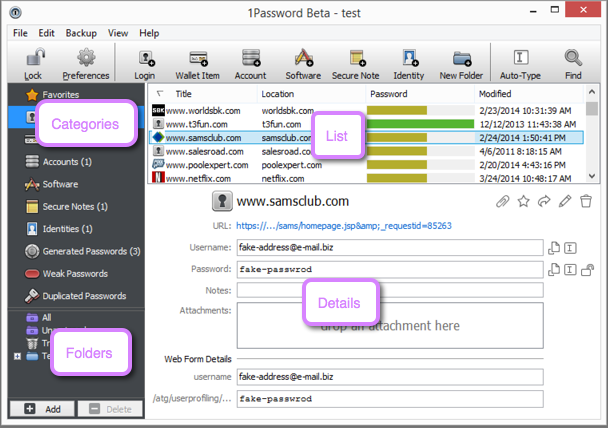
There are four issues that I'm currently aware of with 1Password:
1. They've converted from flat to subscription pricing.
2. They're pushing people to a 1Password-managed cloud sync system instead of the a la carte sync they were doing before.
3. They're promoting cloud vaults and hiding local vaults, and the Windows version of 1Password has apparently never used local vaults.
4. Now that they have 1Password.com, first-time enrollment in 1Password requires you to interact, once, with 1Password.com.
Of these, only (4) is a serious security concern. Their last release further eliminated the native app's dependency on 1Password.com. I'm confident they'll get all the way towards decoupling them, but I'm not them, so grain of salt.
I have no relationship with 1Password other than as a happy customer and as someone who does research in the field they work in. Having said that: I strongly recommend that you be very careful about what password manager you choose to use. The wrong password manager can be drastically less secure than no password manager. I recommend 1Password, and there's currently no other commercial password manager that I recommend. I'm sorry I can't go into more detail than that. :(